If you’ve used Claude Code to build a landing page or dashboard, you’ve probably hit the same wall I have: the code works, but the result looks like every other AI-generated site on the internet. Same system fonts. Same purple-to-blue gradient. Same Tailwind card with a drop shadow. I call it “AI beige.”
Anthropic released a Claude Code plugin this year called frontend-design that fixes this. It’s been one of the most-installed skills on the new plugin marketplace, and it’s the single biggest quality bump I’ve gotten out of Claude Code since I started using it. Two commands to install. Here’s what it does and how to set it up.
What the Skill Actually Changes
The frontend-design skill is a set of instructions that Claude loads automatically whenever you ask it to build UI. Before writing any code, Claude now picks an aesthetic direction, a type system, a color palette, and a motion language that fit the brief you gave it. Then it writes code around those decisions instead of reaching for generic defaults.
The easiest way to see the difference is Anthropic’s own before/after comparisons from the launch post. Same prompt, same model, the only variable is whether the skill is active.
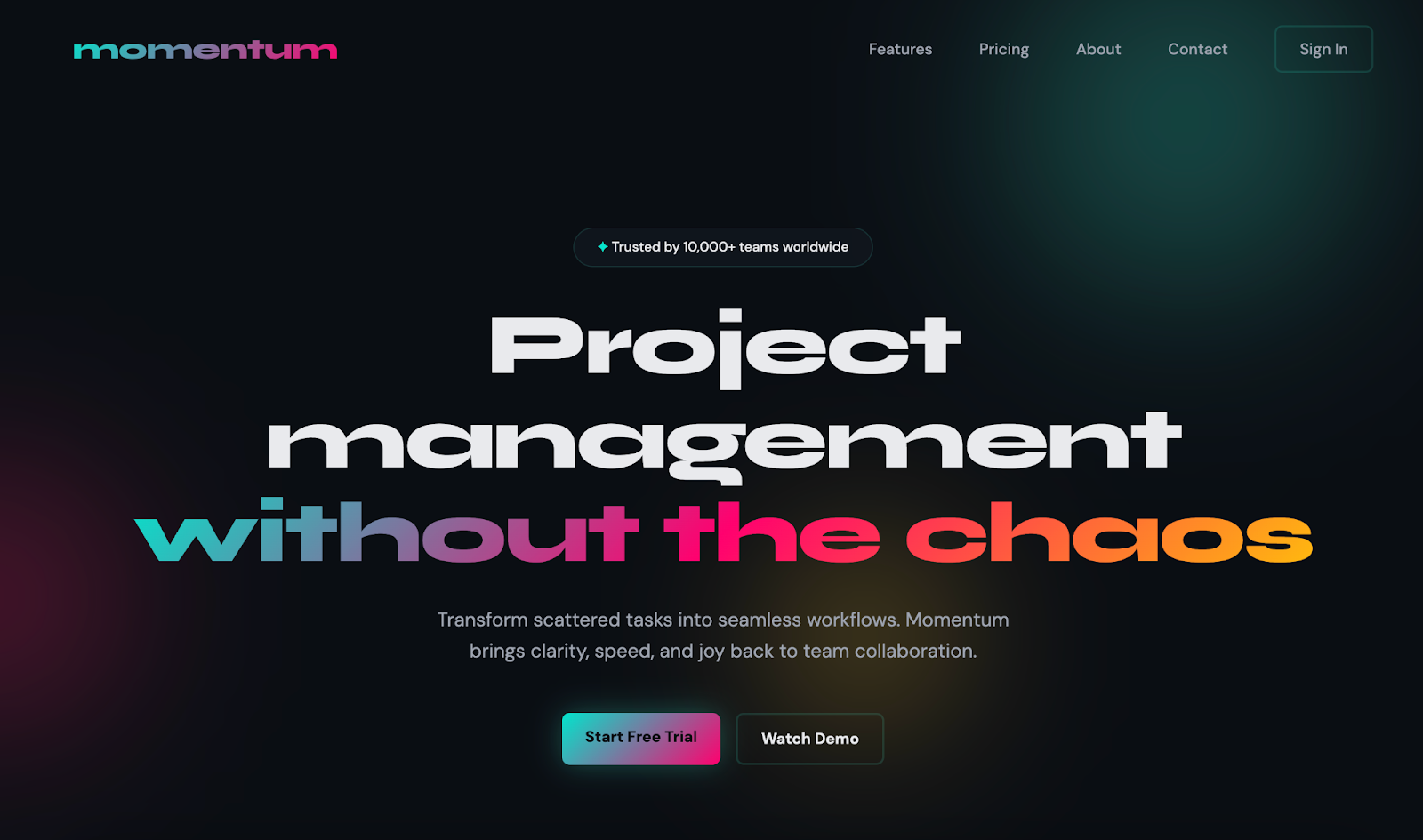
SaaS landing page generated with the skill enabled. Source: Anthropic.
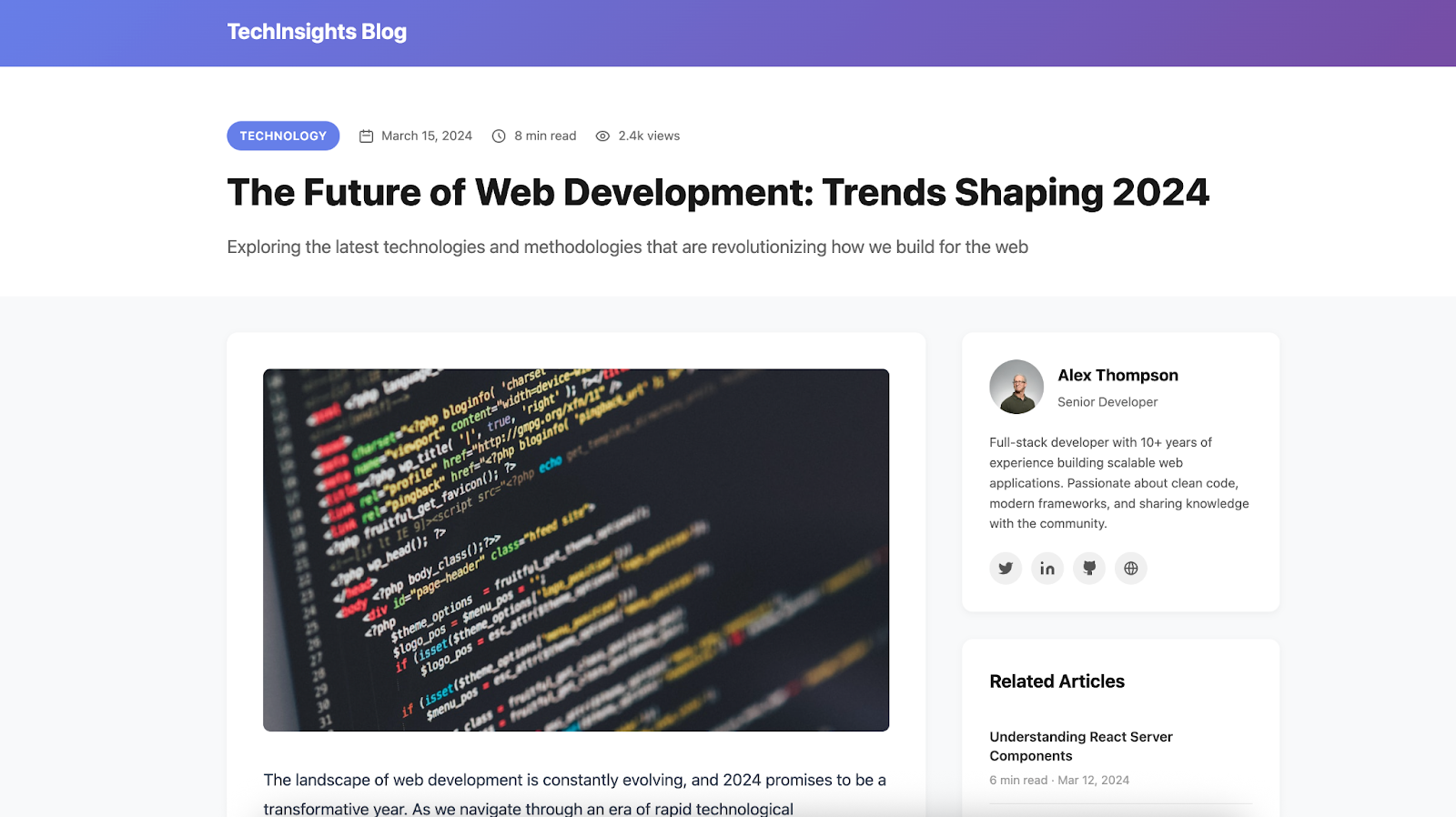

Blog layout. Source: Anthropic.
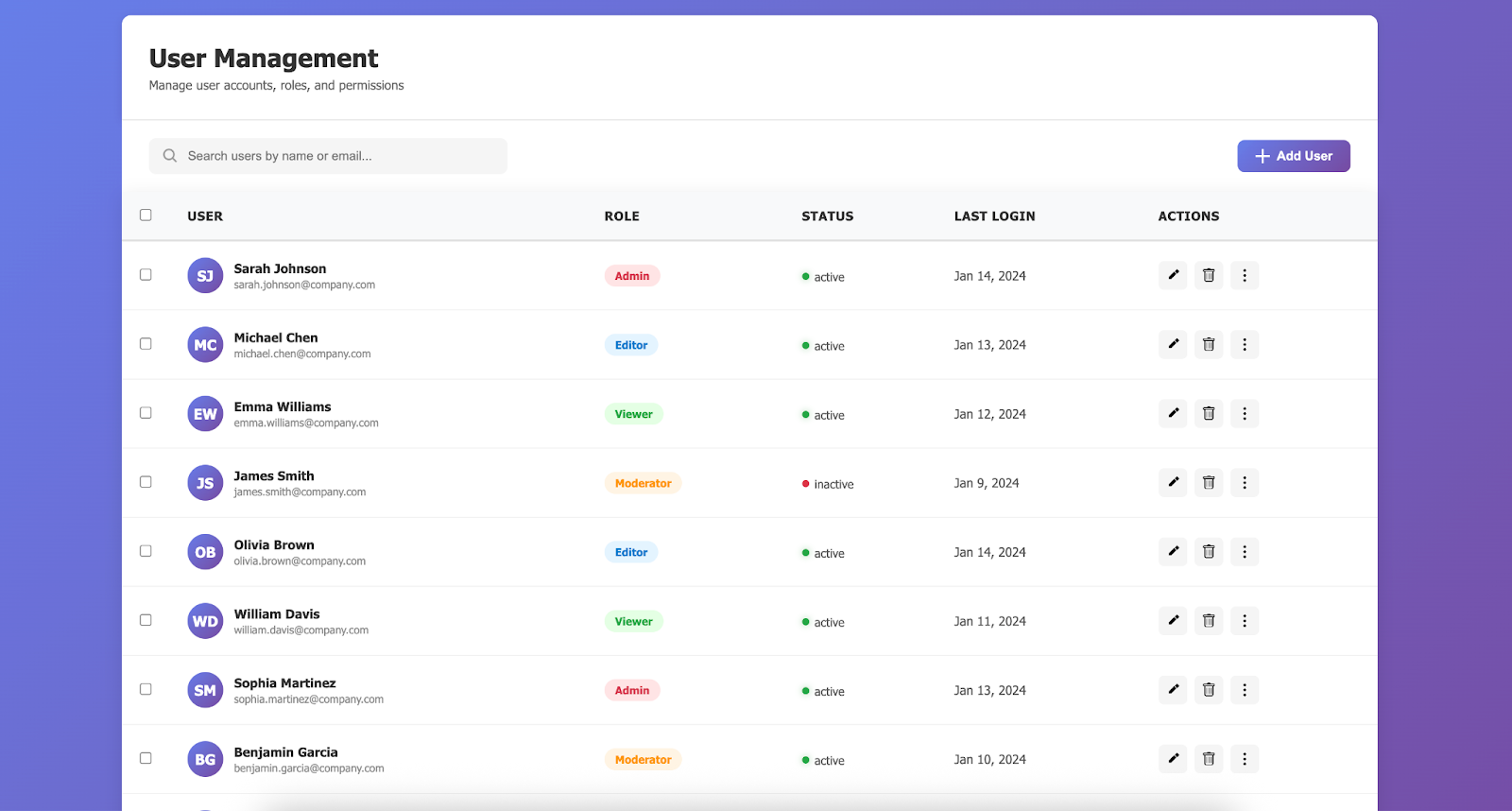
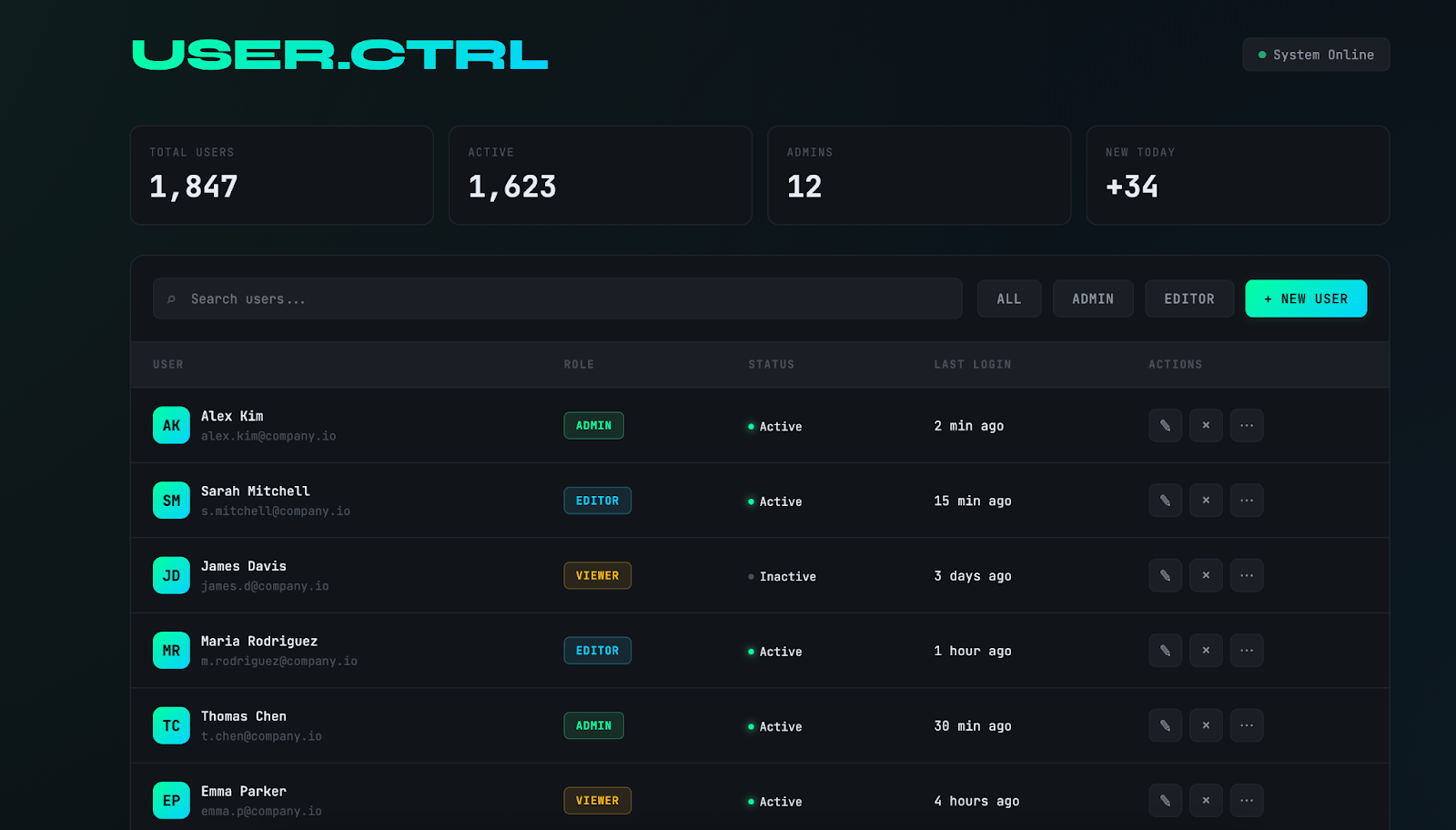
Admin dashboard. Source: Anthropic.
The “without” versions aren’t broken. They’re just generic. The “with” versions have a point of view. That’s the whole pitch.
How to Install It
You need Claude Code (the CLI or the IDE extension). Open it in any project and run these two slash commands, one after the other:
/plugin marketplace add anthropics/claude-code
# 2. Install the frontend-design plugin from it
/plugin install frontend-design@claude-code-plugins
That’s the whole install. The first command registers the anthropics/claude-code marketplace so Claude Code knows where to fetch official plugins. The second pulls the skill into your setup.
To confirm it’s active, run /plugin with no arguments. You should see frontend-design listed as installed.
How to Actually Use It
You don’t invoke the skill manually. Once installed, Claude loads it on its own any time your prompt involves building a web UI. The prompt style that gets the best results is short and purposeful — tell Claude what it is, who it’s for, and what feeling it should have. Skip the CSS instructions.
Prompts I’ve had good luck with:
- Build a landing page for a Nairobi rent-collection SaaS. Feels trustworthy and modern, warm tone, not corporate.
- Create a dashboard for a solar-panel monitoring startup. Dark-first, engineering aesthetic, lots of data density.
- Design a checkout flow for a Kenyan fashion brand. Editorial, confident typography, restrained color.
Notice I’m not telling Claude which fonts to use or what gradient to pick. That’s the skill’s job. Over-specifying defeats it — you end up back in AI beige because you’ve taken away the decisions the skill was trained to make.
When It Helps, When It Doesn’t
Use it for:
- ✓ Greenfield landing pages, marketing sites, portfolios
- ✓ Internal dashboards and admin UIs where you want a consistent look
- ✓ Fast prototypes for client pitches
- ✓ Anything you\u2019d otherwise start from a Tailwind template
Skip it for:
- ✗ Production apps that already have a strict design system (the skill will fight your tokens)
- ✗ Small component-level edits inside an existing codebase
- ✗ Accessibility-first projects where contrast and focus states must be enforced up front \u2014 still audit what it generates
Two Things to Watch
It can over-style. The first pass often lands closer to “design-forward concept” than “shippable product.” That’s usually a good starting point — tell Claude to dial back specific elements rather than throwing it out.
Accessibility still needs a review. Bold color choices sometimes land below WCAG contrast ratios. Run a quick Lighthouse pass or paste the component back and ask Claude to check contrast — it will fix it, but it doesn’t always catch it on the first draft.
Why It’s Trending
The frontend-design plugin is one of the most-installed skills on Anthropic’s marketplace right now, and it’s not because it’s doing something magical under the hood. It’s a well-written prompt that forces the model to make design decisions before writing code. That’s it. The lesson for anyone building their own skills: the value is in what you make the model decide, not in what you make it output.
If you’re doing any amount of UI work with Claude Code, install it today. Two commands, zero downside, and your next landing page stops looking like every other AI-generated landing page on the internet.